QR Code for Real Estate
Create free QR codes for property listings, virtual tours, agent contact cards, open house registrations, and property documents. Close deals faster.
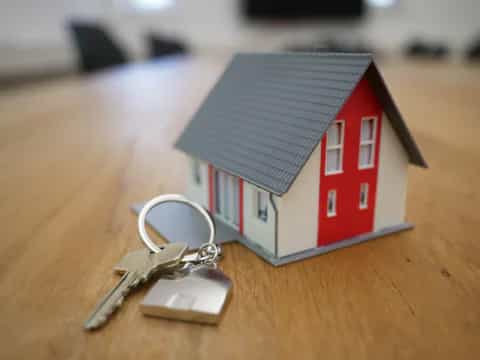
How Real Estate Uses QR Codes
Close deals faster and engage buyers with QR codes
Property Listing QR
Add QR codes to yard signs and flyers linking to the full online listing with photos, price, and details. Capture buyer interest 24/7.
Virtual Tour QR
Link to 3D virtual tours or video walkthroughs. Buyers scan the QR code from anywhere and explore the property remotely.
Agent Contact QR
Create vCard QR codes for agents. Potential buyers scan and save your contact info instantly. Never miss a lead.
Open House QR
Place QR codes at open house entrances linking to sign-in forms, property details, and your contact card. Digitize the guest book.
Property Documents QR
Share floor plans, inspection reports, and disclosure documents as PDFs via QR codes. Keep everything accessible and organized.
Get Started in 3 Easy Steps
Create your real estate QR code in under 30 seconds
Choose QR Type
Select URL for listings and tours, vCard for agent contacts, PDF for documents, or Location for property addresses.
Enter Details
Add your listing URL, agent info, or property address. Customize colors to match your brokerage branding.
Print & Place
Download as PNG or SVG and add to yard signs, flyers, business cards, or open house materials. Free, no watermark.
Why Real Estate Loves QR Codes
Modern property marketing that converts
More Leads
QR codes on yard signs capture buyer interest 24/7. Even when you are not there, potential buyers can access listing details instantly.
Better Engagement
Virtual tour QR codes let buyers explore properties remotely. Properties with virtual tours get 87% more views than those without.
Save Time
Digital sign-in sheets, instant contact sharing, and self-guided tours reduce repetitive tasks so you can focus on closing deals.
Professional Image
QR codes on marketing materials show clients you use modern technology. Stand out from agents still relying on paper-only marketing.
Real Estate QR Code FAQ
Common questions about QR codes for real estate
On yard signs, window displays, flyers, business cards, and online ads. Yard signs with QR codes capture interest from drive-by traffic.
Yes! Create a URL QR code linking to your Matterport, Zillow 3D, or video tour. Buyers scan and explore the property from anywhere.
Use our vCard QR generator. Enter your name, phone, email, and company. Anyone who scans adds your contact info to their phone instantly.
Yes. Since the QR code links to a URL, just update your listing page. The QR code stays the same without reprinting signs.
At least 10x10 cm for yard signs so they can be scanned from several feet away. For flyers and business cards, 3x3 cm minimum.
100% free. No sign-up, no watermark, no limits. Download as PNG for digital use or SVG for high-quality print materials.
Yes. Create a URL QR code linking to a Google Form or sign-in page. Guests scan at the door instead of using a paper guest book.
Absolutely. QR codes work perfectly on printed flyers, brochures, postcards, and business cards. Just ensure adequate size and contrast.
Tools for Real Estate
Create QR codes for property marketing